
Automate Everything You Do on a Computer: Email, Bookings, Docs & Reporting
Automate Everything You Do on a Computer: Email, Bookings, Docs & Reporting
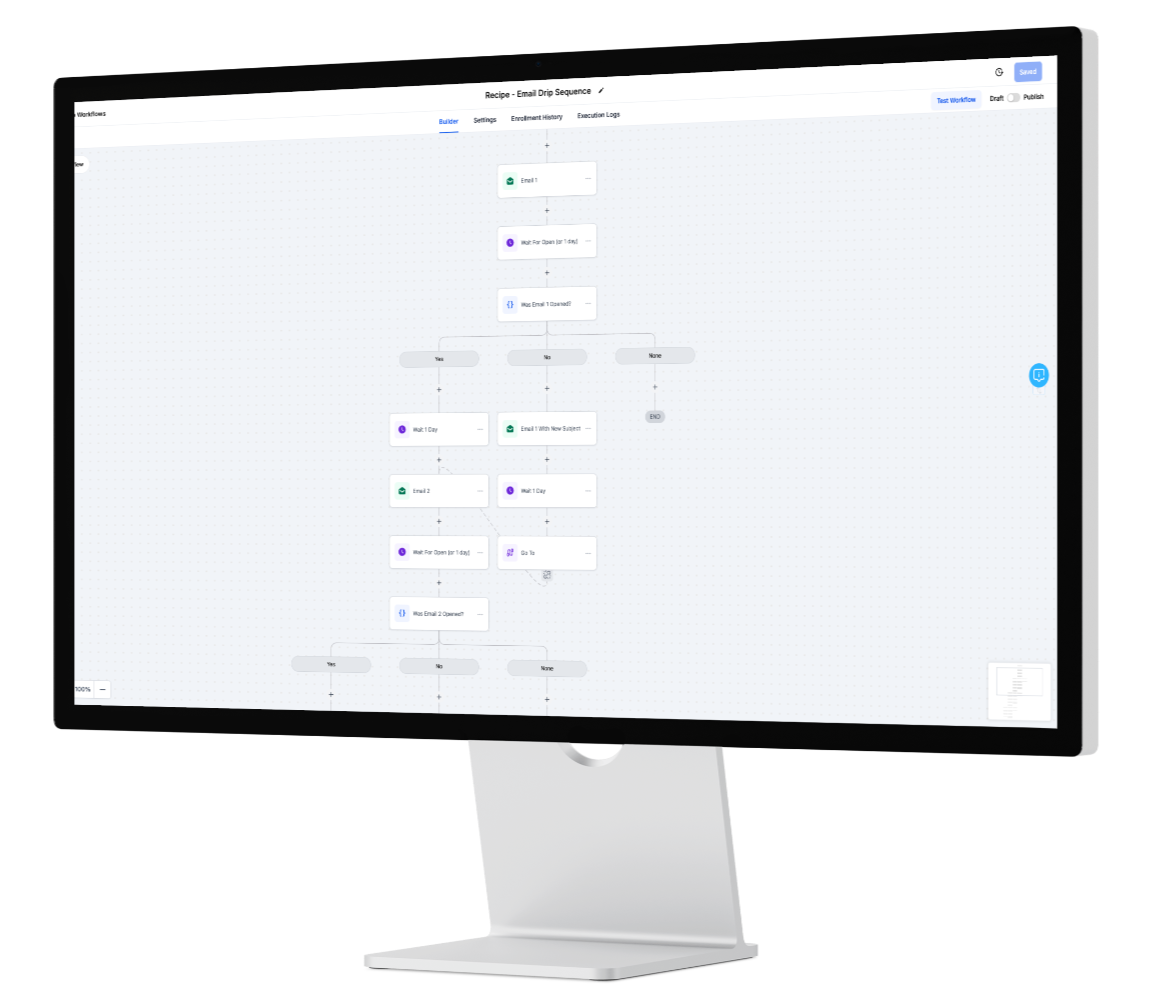
If you can describe a task in steps, it can run itself. The fastest way to create real operational efficiency is to capture your team’s repeatable computer work—email triage, calendar booking, document validation, and reporting—as reusable workflow templates inside InOne CRM. Instead of human copy-paste, your system watches for triggers (a new email, a form submission, a file upload), makes a decision (is this pricing, support, or billing?), and executes the next action automatically (label, route, book, request docs, or export a report). The result is fewer delays, fewer errors, and more revenue-producing time.
Why these four areas first
Email triage AI replaces manual sorting with intent detection and queues. High-intent leads jump to the front; low-intent emails get a polite nurture. Attachments are parsed and linked to the correct contact or deal.
Booking automation eliminates back-and-forth. When a lead crosses a threshold, the right calendar appears instantly, reminders go out automatically, and pipeline stages update without human effort.
Document validation handles KYC, IDs, proofs of payment, and contracts. Extracted fields (names, dates, totals) are checked for completeness; if something is missing or expired, the workflow requests just that item via the contact’s preferred channel.
Reporting shouldn’t be an end-of-month scramble. As flows run, they update fields and stages, giving you always-current dashboards and scheduled exports.
Starter Workflows (copy-ready)
Email Triage → Queue → Assign → SLA
Chat/WhatsApp → Qualification → Calendar Booking
ID/Passport Upload → Extract → Validate → Approve/Reject
Weekly Ops Report → Auto-compile → Send
How to build once and reuse forever
Define triggers (new email, form, upload, stage change).
Add decisions (intent tags, lead score, product line, territory).
Chain actions (label, assign, notify, request, book, update, export).
Bake in guards: consent checks, role-based permissions, dedupe rules, and audit logs.
Save as workflow templates so new hires click “use template,” not “reinvent process.”
Handling edge cases without breaking flow
Great automation isn’t rigid—it’s resilient. Use an Exceptions Desk queue for anything the system can’t complete (missing field, failed validation, conflicting dates). Assign SLAs and owners so exceptions are resolved quickly, and feed those patterns back into your templates to reduce future exceptions.
Governance and trust by default
Operations automation works best when staff can see why something happened. InOne CRM logs the decision path (“intent: pricing → hot lead → served calendar X → booked”) so managers can audit and improve. Least-privilege access, consent-aware sends, and field-level encryption keep sensitive information confined to the right roles while automations move work forward.
KPIs that prove it’s working
Response time from first touch to first meaningful reply
Booking conversion from inquiry to scheduled meeting
Approval rate / re-upload rate in document flows
Hours saved per 100 tasks (your true capacity unlock)
30-day rollout plan
Week 1: Map the top 10 repeatable tasks; choose the three with highest volume or revenue impact.
Week 2: Ship the Email Triage and Booking automations and set SLAs.
Week 3: Add Document Validation and a Weekly Ops Report export.
Week 4: Review KPIs, tune timing/channels, and save everything as reusable workflow templates.
FAQ
Q: How do we handle exceptions?
A: Route to an Exceptions Desk with tasks and SLAs; the workflow pauses until resolved.
Q: Can staff see why a decision was made?
A: Yes—every decision path is logged so teams can audit and improve templates.
Learn more…
https://inonecrm.com/home-7638-3783