
CEO Guide to Automating Business Processes (Without Hiring)
CEO Guide to Automating Business Processes (Without Hiring)
If your leaders are stuck inside inboxes and spreadsheets, growth stalls. The fastest path to margin and momentum is simple: automate repeatable computer tasks so people focus on decisions, not drudgery. This is a CEO’s field guide to doing exactly that with InOne CRM.
How It Works in InOne CRM
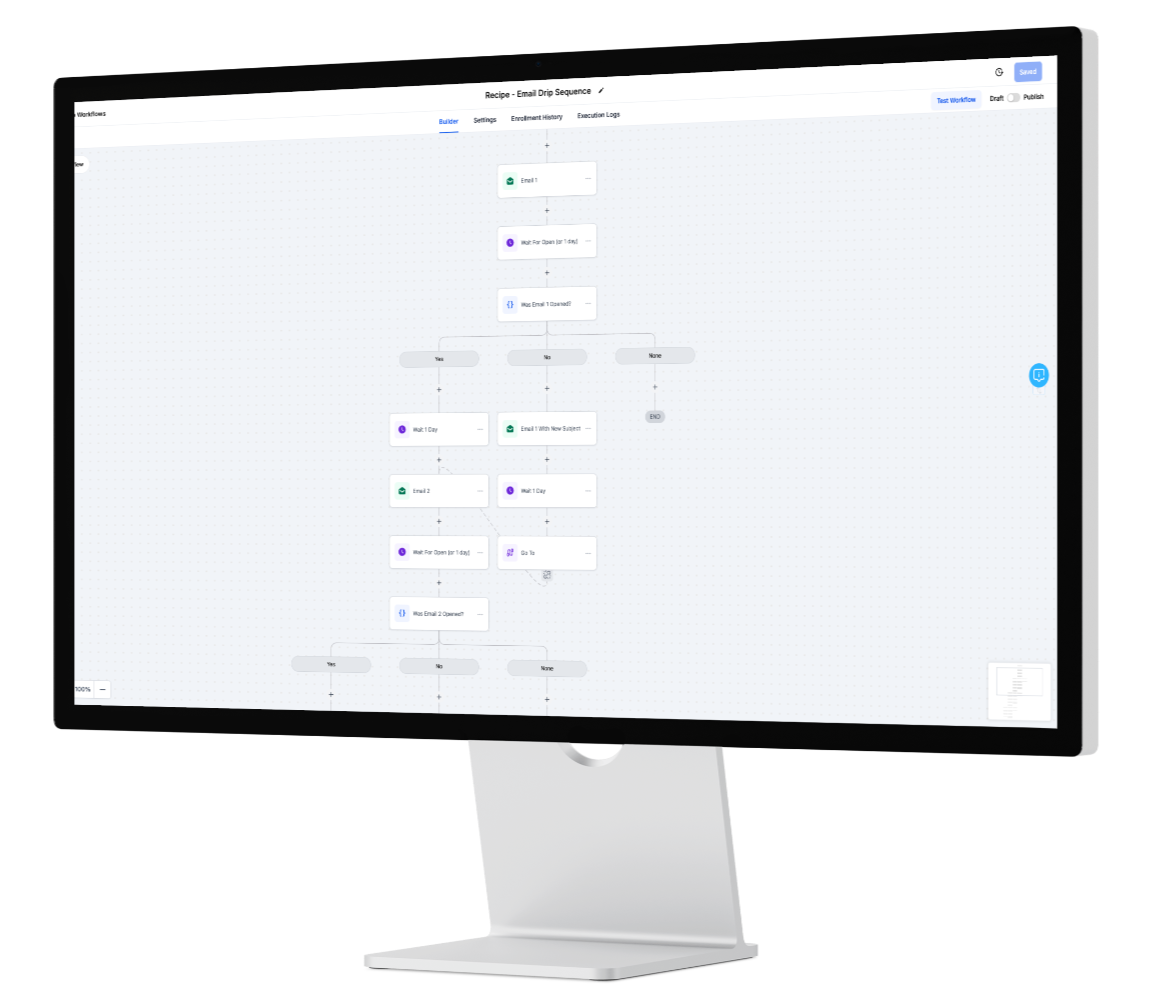
AI Studio maps triggers → decisions → actions across email, WhatsApp, forms, calendars, and your pipeline. You design the flow on a canvas, then let the system execute it consistently—classify, enrich, book, notify, and update, all without manual copy-paste.
AI Agents cover the front lines and the back office:
Digital Receptionist for first contact across chat, email, SMS, and WhatsApp—greets, qualifies, and books.
Follow-Up Concierge that paces outreach based on intent, so you nurture without spamming.
Data Clerk that validates forms/docs, de-duplicates records, and files everything to the right timeline.
Automations run in the background: pipeline updates, alerts, tasks, and approvals. Every action leaves an audit trail and feeds analytics, so your dashboards reflect reality—live.
5-Step CEO Playbook
List your top 10 repetitive tasks across teams. Look for things done 10+ times/week: email triage, quote prep, appointment setting, onboarding steps, report assembly.
Prioritise by time cost and revenue impact. A 10-minute task repeated 200 times/month is a full-time role in disguise; shortlist the work that moves deals, cash, or compliance.
Convert into AI Studio flows. Start with intake → qualification → booking → pipeline update. Add document capture and e-signature as your second wave.
Assign ownership with SLAs, exceptions, and reporting. Every flow needs a business owner, success criteria, and “human-handoff” rules for edge cases.
Iterate weekly with KPI reviews. Ship small changes fast. If reply rates dip or no-shows rise, adjust timing, channel, or content and re-measure.
What to Automate First
Intake & Routing: Auto-label inbound emails, tag intent, and assign to the right queue or stage.
Scheduling: Serve correct calendars based on product or territory; send smart reminders to reduce no-shows.
Document Work: Extract customer details, validate IDs/POPs, request missing items via preferred channel, and file to the contact timeline.
Sales Ops: Generate quotes from product presets, push approvals to managers, and update probability on acceptance.
Customer Updates: Send status summaries after a handoff or milestone, minimizing “just checking in” calls.
KPIs to Watch
Hours saved / month (ops load removed)
Meetings booked / agent (capacity unleashed)
Lead-to-close cycle time (sales velocity)
Cost per booking (unit economics)
Workflow success rate (runs completed without human intervention)
Risk, Control, and Compliance
Automation should reduce risk. With role-based permissions, consent-aware messaging, and audit logs, InOne CRM keeps sensitive data in the right hands while your AI workflows move work forward. Field-level encryption and retention policies maintain trust with customers and regulators.
Executive Call to Action
Start with one “Gold Path” this week—intake → booking → pipeline update—then expand to docs and approvals. Within a single quarter, most teams unlock real capacity, cleaner dashboards, and measurable margin.
FAQ
Q: How fast can we deploy a first workflow?
A: Most teams launch an intake-to-booking flow in a few days, then expand.
Q: Does this replace staff?
A: It replaces repetitive tasks, not people—freeing your team for higher-value work.
Learn more…
https://inonecrm.com/home-7638-3783